HDR (High Dynamic Range imaging) Using your Nokia cell !!!!!!!!!

>> Friday, May 7, 2010

Yes am giving here procedure for capturing images with high dynamic range !!
But b4 that lets understand what actually this HDR is ??

Well HDR is the way to make your images,photos look awesome !!HDR uses multiple pictures at different exposures & combines them with tone mapping to look awesome !!

Here are some HDR images captured using N-series mobile !!!!! just chek them out !!!


 the next one is captured using some high megapixle camera,,,but will like to upload for better understanding.
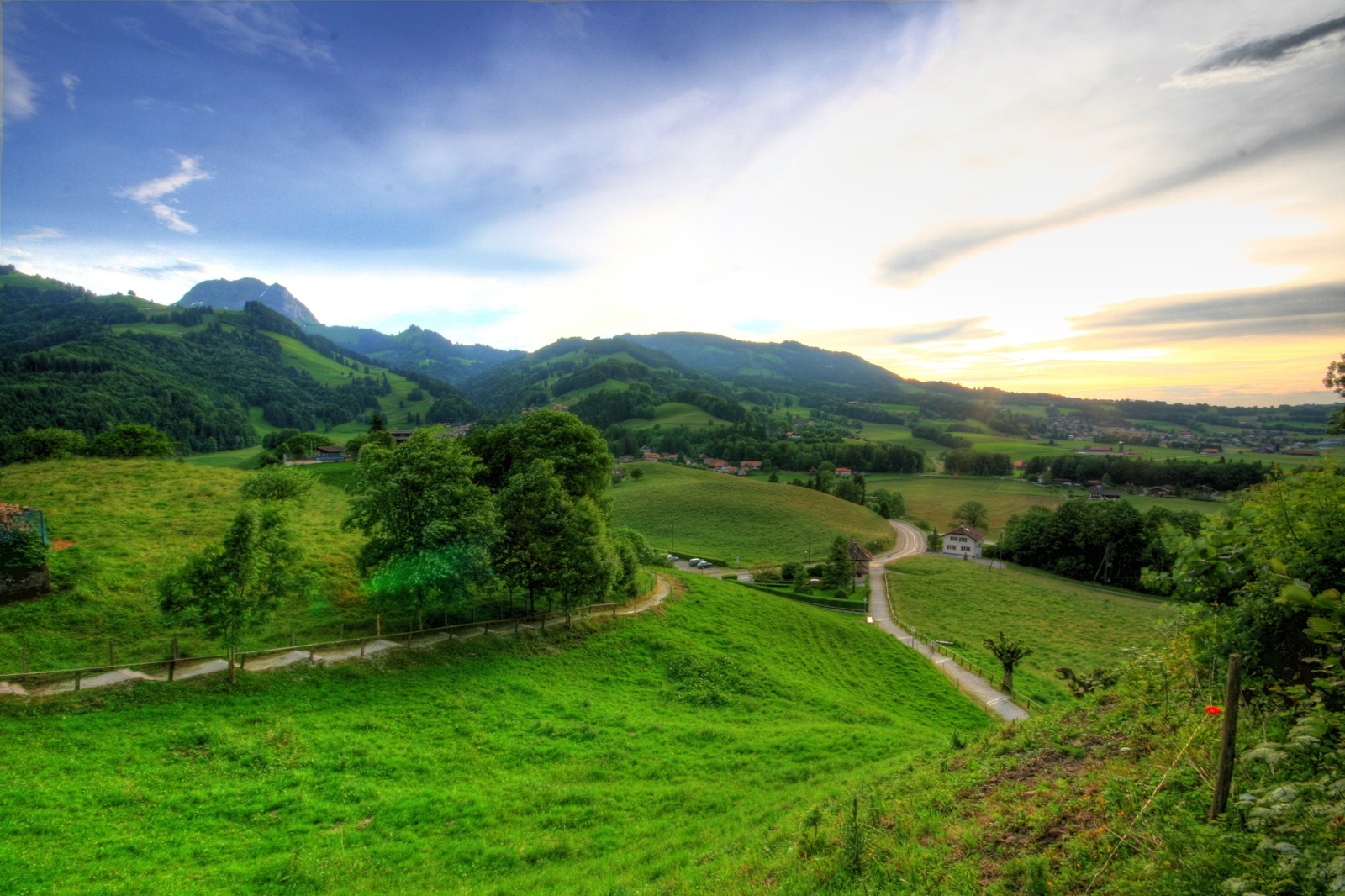

Now the procedure starts here ........
1.Install python{already posted on blog }.
2.Download following attachment......
   HDRscripts & Pycamlib
3.The zip file contains 3 files...
  Pycamlib -python camera library files need to install to run script.
  & there are 2 scripts HDR1 & HDRnew both are working but HDRnew is more advanced
  u can choose any one !!
4.Install pycameraby KTG.SIS.
5.Copy the script hdrnew By KTG.py or hdr1by KTG.py in ur cell {python folder as explained in earlier posts !!!}
6.Now open python & run the copied script... view finder will open .........
then move your scroll in upward direction(Assuming that you are holding ur handset horizontally i.e. in landscape manner)at bottom u will notice change ,,,scroll upward till u come up 2 the resolution settings,,,,default resolution is 2592x1944 ,then adjust resolution by scrolling to left or right to some lower value  say 1600x1200.
7.Set up your phone with tripod something else,,Adjust your phone to set up frame u r going to capture . (This should be the last time you touch the phone)
8.Now click Ok(hit scroll or start)Script will automatically capture images with 3 or 5 different exposures,,u will get images in ur images folder.
Here ur mobile's job is completed !!!

NOw your computers job:-
1.Copy photos in ur pc.
2.If you are having Adobe CS3 installed{don't worry if u don't have,there is another way also} then open it
  Files>Automate> Merge to HDR
now the window will open browse images you have copied and done !!!
3.Now if you dont have Adobe CS then download Photomatix from HDRsoft {this software is good one becoz size is less that 10MB} ,just google it...if you are having problems in getting software then request here ,,i will upload that one for you,am having registered copy of that.!
4.By doing all this you can capture HDR images & can unlock actual power of your Camera phone !!!!!!!!

Read more...

Free reliance net on PC !!!!

>> Tuesday, April 20, 2010

1)Download dotproxy !!!
Dotpx by kunalTG

2) install Microsoft .NET Framework 3.5 SP1.[if you are a windows 7 user then no need to do this step u can directly go to the 3rd step]
Dotnetfx35 by kunalTG[231.5MB]
::link for reliance users::

if you are having low bandwidth problem then you can download this compact file but
it is not tested yet its just 23MB.trick is perfectly working with the 231.5 mb dotnet!!!
compact dotnetfx

3) unzip the archive and run DotProxy.exe.

4) fill with following values local port :1234
remote proxy 10.239.221.22 or 10.239.221.5 port 8080
in url mod click add and type 0:id=jCustomerWAPProv

5) before doing this make sure that you are connected to net using rcomwap in pc..normally u get popup like 460kbps connected and all then do following !
click on start buttn.[if you are getting DONT SEND error then there is problem in dotnetfx,try reinstalling dotnetfx]

6) open ur browser and set it to use proxy as : 127.0.0.1 and port as : 1234

Enjoy free browsing !!!
this help file(read first) is also given in zip file !!!

you can also download,,do the same settings in IDM & done !!!
Enjoy free downloading

ANY PROBLEMS ASK HERE BY COMMENTING !!

Read more...

Installing Python in S60V3 for TLP !!! {IN DETAIL}

>> Sunday, April 18, 2010

1)Download all these files !!
Python By KunalTG

PythonScriptShell by KunalTG

ExtraPowerModulePack BY KunalTG

2)install all three files & enjoy !!!!!{Plz install all these files in ur phone memory )

3)Now i am giving you link for Time Lapse photography script ,download this & then copy in python folder located in phone memory(C:) or memory card(E:) using any file manager(i prefer Xplore)

Script by kunalTG

4)Now start python !!!
this window will appear

select run script as shown...
5)now select time lapse script.py from list and done ,,,,now it will start capturing images !!!

Read more...

GET ADSENSE Account APPROVED !!!

>> Wednesday, April 14, 2010


Get your adsense account approved easily !!!!

this is not fake i have got approved my account in the same way & with less efforts !!
you just make one account on Indyarocks.com
and then apply for google adsense program through it !!
of course you have to full fill the requirements which is very easy for you !!you can check here..........

Read more...

TIme lapse Photography using S60 mobile !!

Just do the following steps to capture Time Lapse Photo using ur cell !!!
1)Install python in your S60 mobile !!!!
just google it you will get it !!!


Custom Search


if you are having any problems then u can request me here by COMMENTING!!!
(U also need to intall python modules pack which is generally there with python)

2)Then make a new text file and copy following code in it !!


import appuifw

import time

import camera

import os

import graphics
## Change sleepcount to modify the gap (in seconds) between two images

##Don't set it too low or it won't work.
sleepcount=10

i=0

starttime=time.time()
os.mkdir('E:\Images\%f'%(starttime))

appuifw.app.screen='full'

appuifw.app.body=canvas=appuifw.Canvas()

while True:

phototime=time.time()
##Images are captured with 640x480 resolution..If you change it, make sure your camera supports it. Night mode etc is not used.

Img=camera.take_photo("RGB",(1024,768))

canvas.blit(Img.resize(canvas.size))

## print "captured %d"%(i)

Img.save("E:\Images\%f\%s.jpg"%(starttime,str(i).zfill(6)))

## print "saved %d"%(i)

savetime=time.time()

timediff=savetime-phototime

## print sleepcount-timediff

time.sleep(sleepcount-timediff>0 or 0)

i=i+1


3)Save this file as .py extension.
4)Copy this file to python folder in ur cell,,(if not there then create )
5)open python & select run script from options tab.
6)Then select file created by you i.e.XXX.py.
7)Now it will start capturing images continuously after every 10 seconds.
8)You should not move ur cell now..according to me prefer tripod !!!
9)I will advice u to run the script for longer time ,for good Time lapse Photography !
10)The script will store images in images folder only,,you just copy those images in ur PC & make video from them using quicktime pro !!!

now you have done ,,,,,enjoy time lapse photography using your S60 phone!!!!!!!!!!!!!!!!!

**here i have posted just a procedure , because i thing you will get the applications easily from google! if having some trouble then request me here using COMMENTS !!!!

Read more...

A Nice Kind of Photography(Time lapse photography)

>> Wednesday, March 24, 2010

Here I am going to tell you about time lapse photography.Basically time lapse photography is a kind of photography in which you have capture image of a fixed area at regular interval of time !!!!
and after processing all these images you have to combine these images to form a video & you time lapse photography is ready,,,,i think for reading ,it is some what boring ,,,so watch time lapse photography done by me !!!!!

i know it is not as much good since this was my first try to make time lapse photography using my S60V3 cell N73,,,,you can also make such a time lapse photography ...
i am attaching some more videos below....

Sunset...


above is not shooted by me !!!


check out these !!!


above is not shooted by me !!!


MY NEXT POST WILL BE ABOUT.....HOW TO DO TIME LAPSE PHOTOGRAPHY USING YOUR CAMERA PHONE !!!!!!,,,TRUST ME IT IS VERY SIMPLE PROCEDURE !!!!!!!!!!!SO STAY TUNED TO MY SITE !!!!!

Read more...

About This Blog

__

__

  © Blog Presented BY $ Kunal The Gr8 $

Back to TOP